4 min read · Store Design
Shopify Store Design: A Practical Brief Before You Build
A useful store design brief starts with what shoppers need to do. Plan your catalog, navigation, product information and launch checks before choosing the visual details.

A Shopify store design project becomes easier to manage when the brief describes real shopping decisions. A mood board helps establish direction, but it cannot explain how a customer chooses a size, compares two products or finds the delivery information they need. Those questions belong in the brief before detailed design begins.
Start with a simple outcome: someone unfamiliar with your business should understand what you sell, find a suitable product and know what happens after ordering. Use the following framework to connect visual choices with that journey.

Describe your customer and their first question
Write down your main customer groups, where they arrive from and what they already know. Someone following a product advertisement needs a different introduction from a visitor researching an unfamiliar category. Avoid a vague description such as “everyone who shops online.” Choose the journeys that matter most to your business.
List the questions your team answers repeatedly. Fit, ingredients, compatibility, materials and delivery coverage are useful examples. These questions identify content requirements and suggest where reassurance belongs. They also help you decide which details should appear immediately and which can sit further down a page.
Organize the catalog before drawing navigation
Group products using language customers recognize. Keep internal stock codes and operational categories separate from customer-facing labels. For each proposed collection, describe why someone would browse it and how its products differ from adjacent collections.
Plan the difficult products first
Use a representative product with multiple options rather than the simplest item in the catalog. Define how its variants, availability, size information and photography should work. If products require different information, document those differences so the store does not force every category into an unsuitable template.
Give each page a clear job
The homepage should introduce the offer and provide useful routes into the catalog. Collection pages help people narrow their choices. Product pages explain the specific purchase. Supporting pages answer questions about the business, delivery, returns and contact. Write a one-sentence purpose for each page before deciding its sections.
Avoid filling the homepage with every message the business wants to communicate. Select a few relevant starting points and support them with honest evidence. Use customer reviews only when they are real and properly sourced. A clean layout cannot compensate for invented reassurance or missing product details.
Prepare content alongside the design
Create a content inventory covering product names, descriptions, photographs, measurements, policies and brand assets. Record who owns each item and whether it is approved. This prevents a polished layout from reaching launch with temporary copy or inconsistent images.
For search visibility, give important pages descriptive titles, sensible headings and relevant internal links. Write to answer the visitor’s question first. Repeating the same phrase throughout every section makes the store harder to read and does not provide a useful content strategy.
Specify mobile and operational requirements
Include small-screen navigation, readable labels, clear option selection and usable forms in the brief. Check that promotions, chat buttons and sticky purchase controls can coexist without covering essential information. Ask how the experience behaves with long product names or an unavailable variant.
Also describe how the team will maintain the store. Identify sections that staff should edit, integrations they depend on and information that must remain consistent. A design that needs a developer for every routine update may create avoidable work after launch.
Agree on a practical launch checklist
Define acceptance checks before development begins: working navigation, accurate products, functional variant selection, reviewed policies, appropriate image descriptions and an approved order-testing plan. Assign responsibility for content approval and the final launch decision.
If you are preparing a new storefront, explore Intact Web’s Shopify Build service. Bring a sample catalog, current brand assets and a list of customer questions. Those materials make a more useful starting point than a collection of attractive references alone.
← All articlesKeep reading

A Practical Shopify SEO Content Review for Store Owners
Review Shopify page titles, headings, product information and internal links with a practical content checklist focused on useful search intent.

Choosing a Shopify Theme: Review the Tasks Behind the Demo
Choose a Shopify theme by checking catalog fit, editing needs, mobile behavior and integration requirements rather than the demo homepage alone.
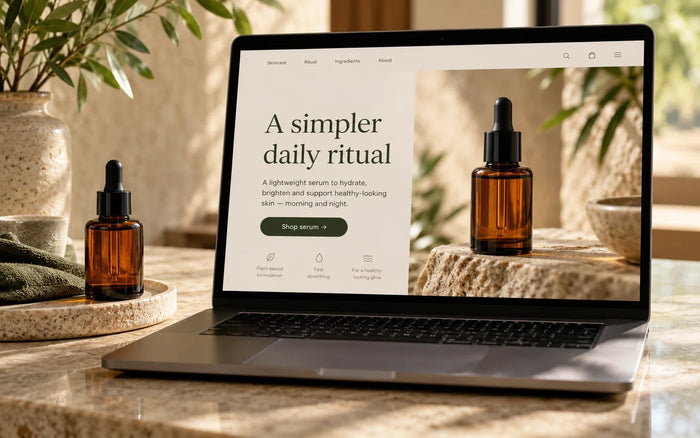
Shopify Landing Pages: Match the Campaign Promise to the Page
Plan a Shopify landing page around a specific campaign, relevant product information and a clear next action, with a focused review checklist.